
Google Ads AI Max & Performance Max: What Changed and How to Get ROAS Back
Google Ads has been moving every advertiser towards more automation. First Performance Max, now Google Ads AI Max for Search. Many advertisers in India have seen the same pattern: more conversions reported, but rising costs, unfamiliar search terms and a ROAS that no longer matches what the business sees in the bank.
This guide explains what Google Ads AI Max is, the upgrade dates you need to know, what changed in Performance Max reporting during 2026, and a practical routine to protect and recover ROAS.
What is Google Ads AI Max for Search?
Google Ads AI Max is a setting inside standard Search campaigns, not a new campaign type. When you switch it on, Google adds three main features to your Search campaign, according to Squarebase:
- Search term matching: broad match and keywordless matching that finds queries beyond your keyword list.
- Text customisation: Google writes or adapts headlines and descriptions using your website and assets.
- Final URL expansion: Google can send users to a more relevant page on your site instead of the one you chose.
You also get controls: brand inclusions and exclusions at campaign and ad group level, and location-of-interest targeting at ad group level. Think of Google Ads AI Max as Performance Max-style expansion added to Search, while keeping keyword-level control.
The Google Ads AI Max rollout timeline
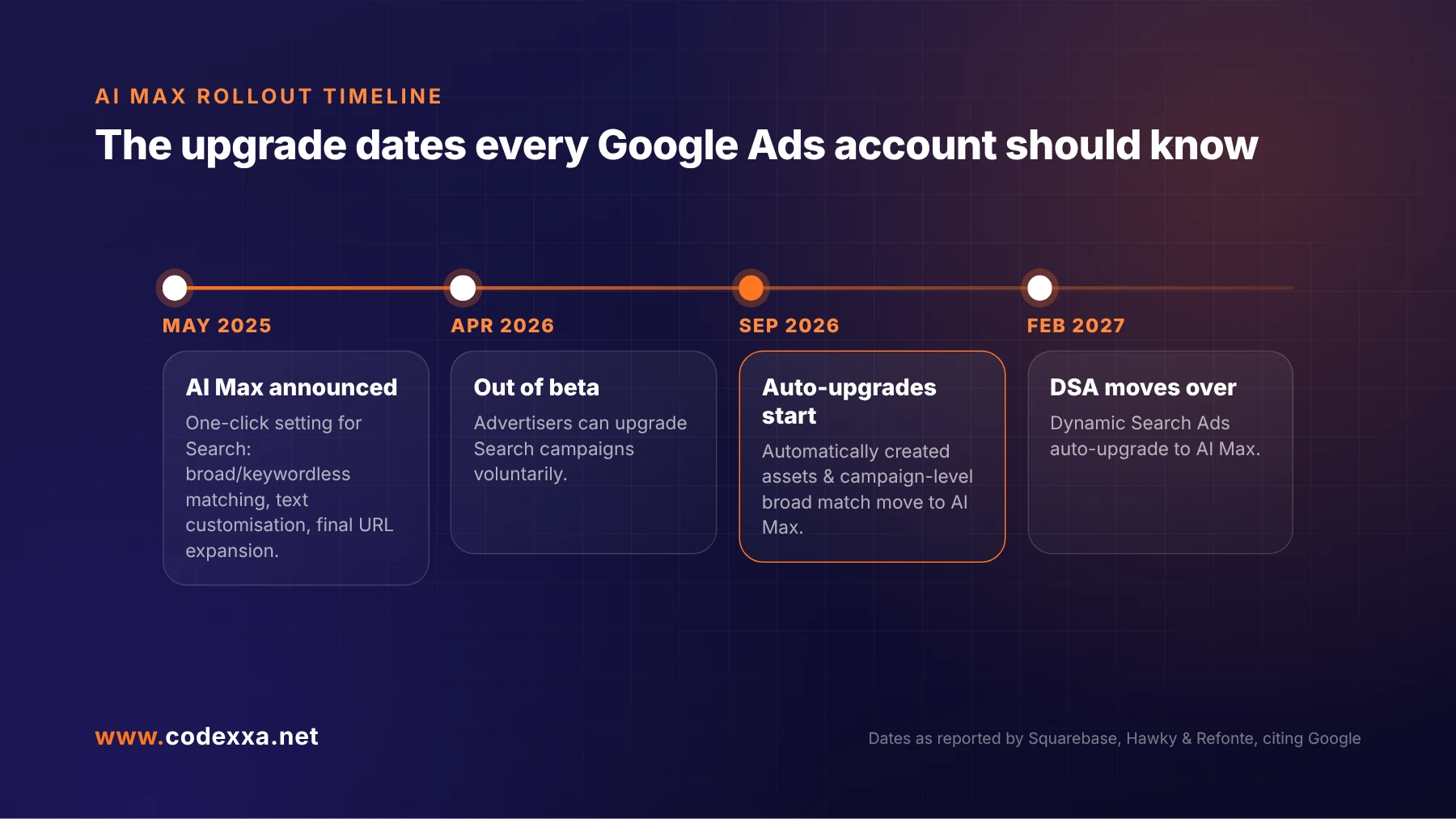
- May 2025: Google announced AI Max and started the beta.
- April 2026: AI Max came out of beta and advertisers could upgrade voluntarily.
- September 2026: campaigns using automatically created assets and campaign-level broad match began auto-upgrading to AI Max.
- February 2027: Dynamic Search Ads (DSA) are scheduled to auto-upgrade to AI Max.
If your account uses DSA, now is the time to set a baseline and plan an experiment, before the switch happens for you.
What Google says about performance
At launch, Google said advertisers using Google Ads AI Max saw 14% more conversions or conversion value at a similar CPA or ROAS, and up to 27% for campaigns still mostly using exact and phrase match. In 2026, Google has quoted a 7% uplift at similar CPA or ROAS, as reported by Hawky and Squarebase.
These are Google’s averages, measured on Google’s conversion data. Your results depend on your conversion tracking, margins and how much low-intent traffic the expansion brings. That is why a controlled test matters more than the headline number.
New Google Ads AI Max reporting to watch
Around September 2026, reporting for AI Max changed, as covered by Miraflow:
- The Search terms report has a Sources column that shows whether a query came from AI Max expansion or from landing pages and URL inclusions. AI Max also appears as a match type.
- The Landing page report has a “Selected by” column that shows “Automatically selected” for pages chosen by final URL expansion.
- In Search asset reports, the old Performance label is blank and per-asset metrics replace it.
If you suddenly see blank labels or new rows, it is a reporting change, not broken tracking.
What changed in Performance Max
Performance Max became much more transparent across 2025 and 2026:
- Channel-level reporting: you can now see results split by Search, Search Partners, Gmail, YouTube, Display, Discover and Maps, including through the API, as explained by Refonte Learning.
- Search terms reporting is available for all PMax campaigns.
- Campaign-level negative keywords are supported. Refonte cites a limit of 10,000 per campaign in the API documentation, though not every source confirms the figure.
- Search themes per asset group increased from 25 to 50.
- Google Ads Editor now supports up to 15 videos per asset group and native channel performance views.
Why ROAS drops after Google Ads AI Max or PMax
When ROAS falls after turning on more automation, it usually comes down to a few causes:
- Weak conversion signals: the system optimises for whatever you count as a conversion. If that includes page views, low-quality leads or duplicate purchases, it will find more of those.
- Brand cannibalisation: automation often claims credit for brand searches that would have converted anyway, which inflates reported ROAS while real growth stays flat.
- Query expansion into low intent: broad and keywordless matching can drift into research or irrelevant queries.
- Wrong landing pages: final URL expansion may send traffic to blog posts or category pages that convert poorly.
- Targets set below break-even: a tROAS that ignores your margin can scale unprofitable sales.
How to protect and recover ROAS
Before you switch on Google Ads AI Max
- Fix conversion tracking: use enhanced conversions and, for lead generation, import offline conversions (qualified leads or sales) from your CRM.
- Record a baseline: note current CPA, ROAS, conversion rate and search term mix.
- Set tROAS above break-even: calculate it from your margin, not from last month’s report.
- Run an experiment: test AI Max against your current setup with a campaign experiment before rolling it out everywhere.
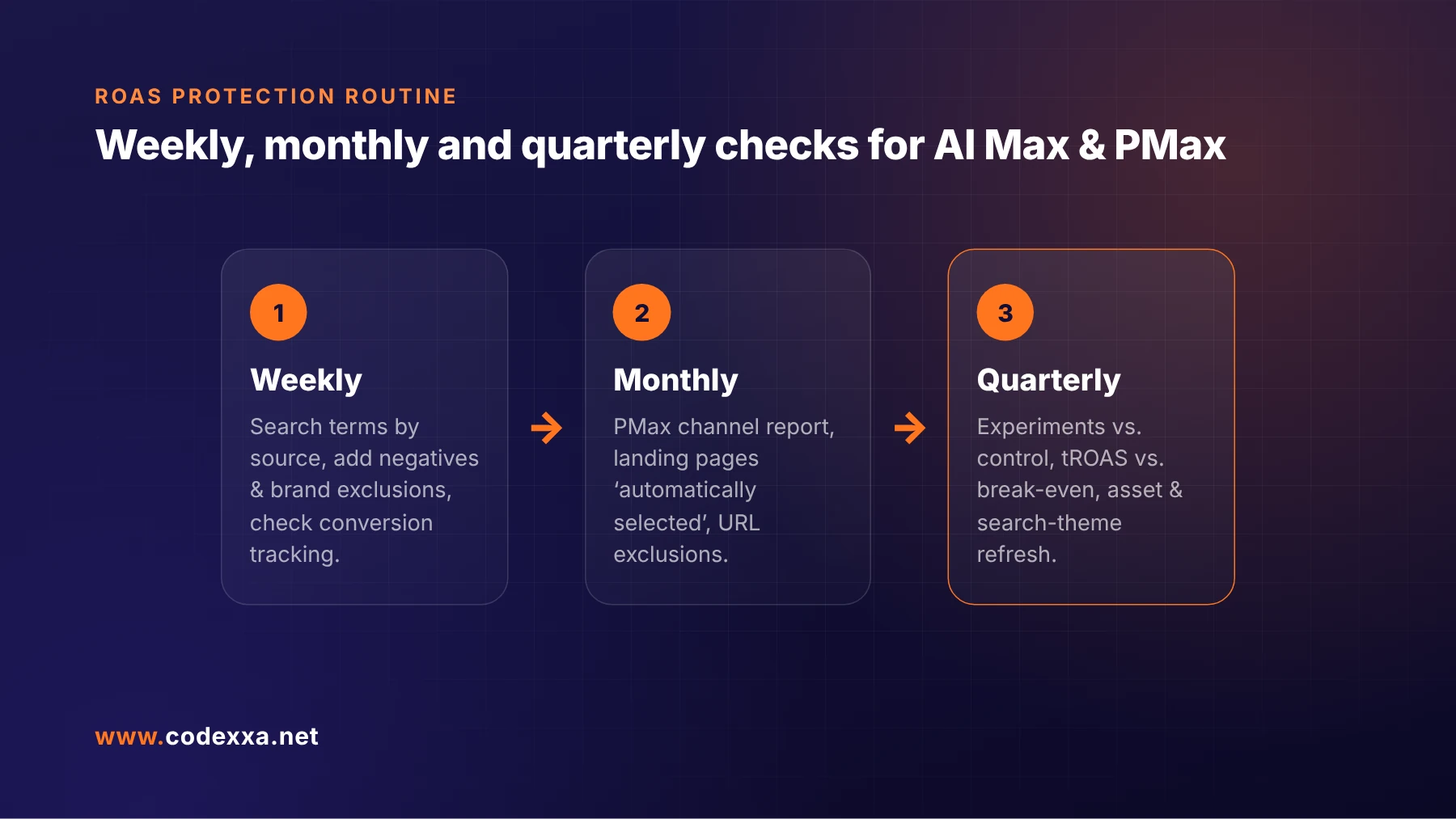
Every week
- Review search terms by source and add negatives for irrelevant queries.
- Use brand exclusions in non-brand campaigns so automation does not take credit for brand demand.
- Check conversion tracking is firing correctly.
Every month
- Read the PMax channel report. Look for channels with spend but weak conversion value.
- Check pages marked “Automatically selected” and add URL exclusions for pages that should not get ad traffic.
- Refresh weak assets and creatives.
Every quarter
- Compare against your control or baseline, allowing for conversion lag.
- Re-check that tROAS targets still match your margins.
- Refresh search themes so each one covers a distinct intent.
Avoid cutting a channel or campaign after a short window. Automation needs time and data, but it also needs clear rules from you.
Need help? Our Google Ads team audits Google Ads AI Max and PMax accounts and sets up the tracking, exclusions and experiments that keep automation profitable. You may also like our guides on improving ROAS and B2B Google Ads strategies.
Frequently asked questions
Is AI Max a new campaign type?
No. AI Max is a one-click setting inside standard Search campaigns that adds broad and keywordless matching, text customisation and final URL expansion.
Will my Search campaigns be upgraded to AI Max automatically?
Campaigns using automatically created assets and campaign-level broad match began auto-upgrading from September 2026, and Dynamic Search Ads are scheduled to move from February 2027.
Can I still use negative keywords with AI Max and Performance Max?
Yes. Negative keywords work with AI Max, and Performance Max supports campaign-level negative keywords.
Why did my ROAS drop after enabling AI Max?
Common causes are weak conversion tracking, query expansion into low-intent searches, brand cannibalisation, landing page expansion and tROAS targets set below break-even.
Can I see where my Performance Max budget goes?
Yes. Channel-level reporting now shows results across Search, YouTube, Display, Discover, Gmail, Maps and Search Partners.

Sam K
Sam K is a brand growth marketer with 8 years of experience helping D2C, ecommerce and B2B brands grow through performance marketing, SEO, content and influencer campaigns. At Codexxa, Sam writes practical, data-backed guides on the strategies that turn marketing spend into measurable brand growth.
Related posts

How to Turn Podcast Episodes Into Social Media Content Using AI
Learn how to turn podcast episodes into social media content using AI, with a 6-step process, three ...

Top 10 WhatsApp Marketing Agencies in India to Hire in 2026
Businesses are moving beyond traditional advertising as customers increasingly expect faster, person...